Cleeng MCP Server exposes a fixed set of functions to your AI tool over Model Context Protocol (MCP). Your AI tool sees only the functions covered by the roles you hold, at the permission level you hold them.
New to Cleeng MCP Server? See Cleeng MCP Server: What it is and how it works for what it does and how permissions work.
The Cleeng MCP server is built and hosted by Cleeng. Adding it to your selected AI tool (e.g. Claude or similar) account lets your selected AI tool read Cleeng data and, with your confirmation, change it, on your behalf, within your existing dashboard permissions.
This is not a Cleeng-provided AI feature and is not an endorsement of, or warranty regarding, a specific AI tool. You are connecting your own AI tool to your own Cleeng data, at your own discretion. Cleeng assumes no liability for any outcomes or any issues resulting from such a connection. Data your selected AI tool account retrieves from Cleeng is subject to your agreement with the respective provider (e.g. Anthropic for Claude) once it reaches your selected AI tool (e.g. Claude).
Retention Intelligence
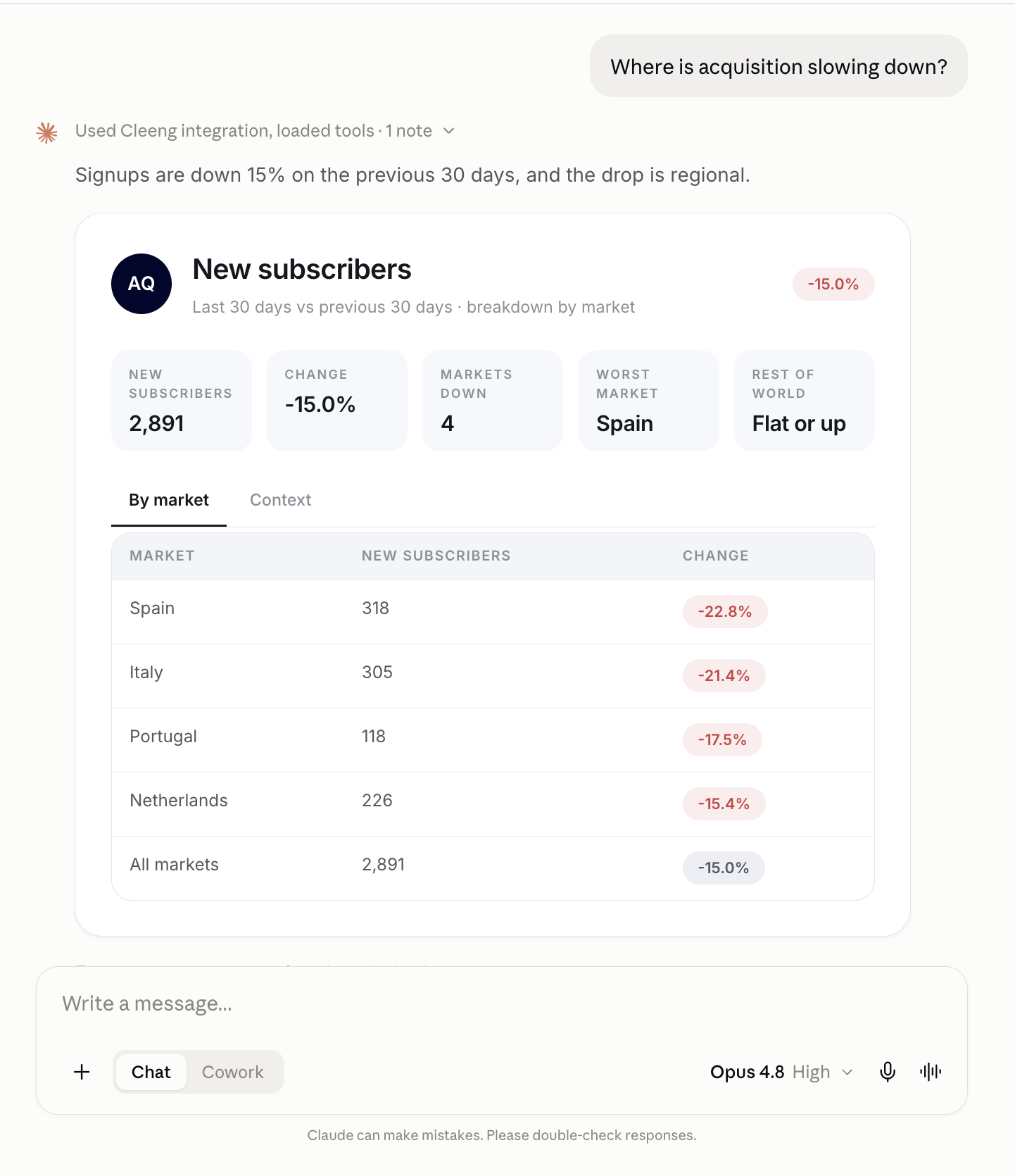
Retention Intelligence covers metrics and reporting. It suits:
- data analysts,
- finance,
- business leads
- product managers.
The table below lists tools available in this role.
| Tool | Permission level | What it does |
|---|---|---|
| find_metrics | Read | Let a business user discover which Cleeng metrics exist and how to ask for them, before pulling any numbers. |
| get_metric | Read | Answer what one Cleeng metric is right now, for one time window, and whether it is getting better or worse. |
Example in Claude:
Customer Experience Management
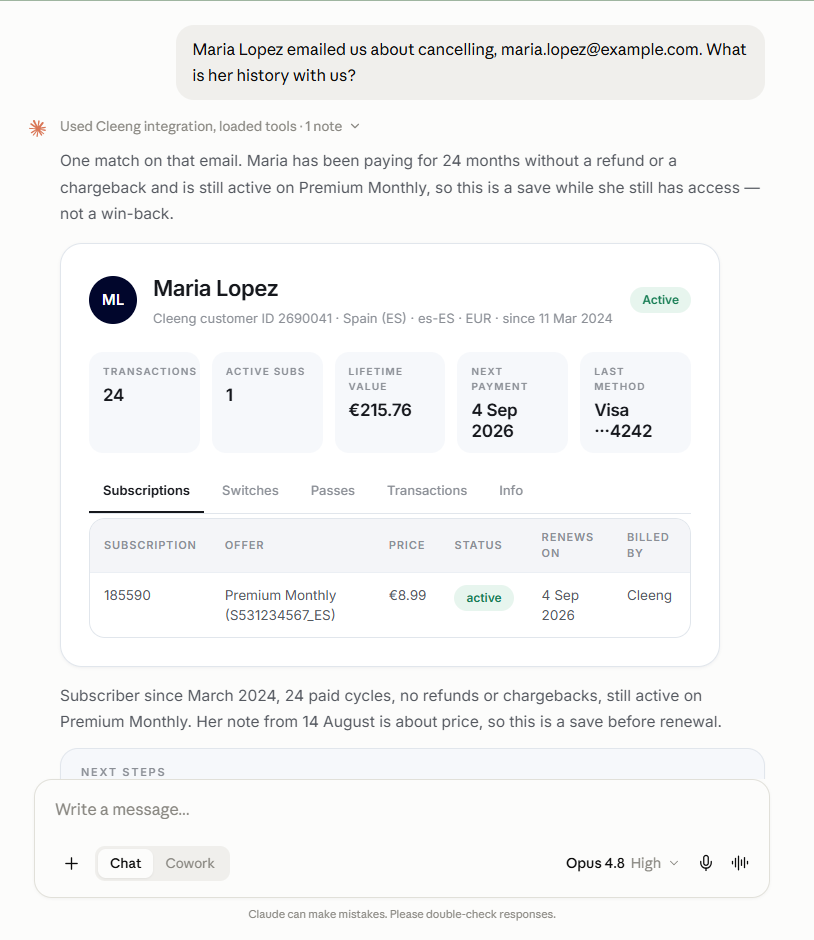
Customer Experience Management covers customer accounts, subscriptions, passes, and payment history. It suits:
- customer support,
- product managers,
- developers.
The table below lists tools available in this role.
| Tool | Permission level | What it does |
|---|---|---|
| find_customer | Read | Find one Cleeng customer from an email address, a name, a Cleeng customer ID or a Cleeng subscription ID, and return their full account picture as shown on the Customer History Dashboard. |
| find_subscription | Read | Read the current state of one customer's subscription or access pass in Cleeng: the offer behind it, the price and currency, the billing period, the next renewal or expiry date, the Cleeng status, and exactly which changes are allowed on it right now. |
| update_subscription | Write | Carry out an approved change on one Cleeng subscription: stop or resume renewal, switch plan, pause, extend access, or apply a retention discount, always with the consequence shown in plain language before anything happens. |
Example in Claude:
Product Management
Product Management covers offers, what offers unlock. It allows you to design, price and launch your catalog by describing it.
It suits:
- product managers,
- developers,
- solution architects.
The table below lists tools in this role.
| Tool | Permission level | What it does |
|---|---|---|
| find_offer | Read | Look up what the publisher sells in Cleeng: subscription offers, access passes and single purchases, with their price and currency, billing period, free trial, what they unlock, where they are available, and how they are performing. |
| find_subscription | Read | Read the current state of one customer's subscription or access pass in Cleeng: the offer behind it, the price and currency, the billing period, the next renewal or expiry date, the Cleeng status, and exactly which changes are allowed on it right now. |
| find_metrics | Read | Let a business user discover which Cleeng metrics exist and how to ask for them, before pulling any numbers. |
| get_metric | Read | Answer what one Cleeng metric is right now, for one time window, and whether it is getting better or worse. |